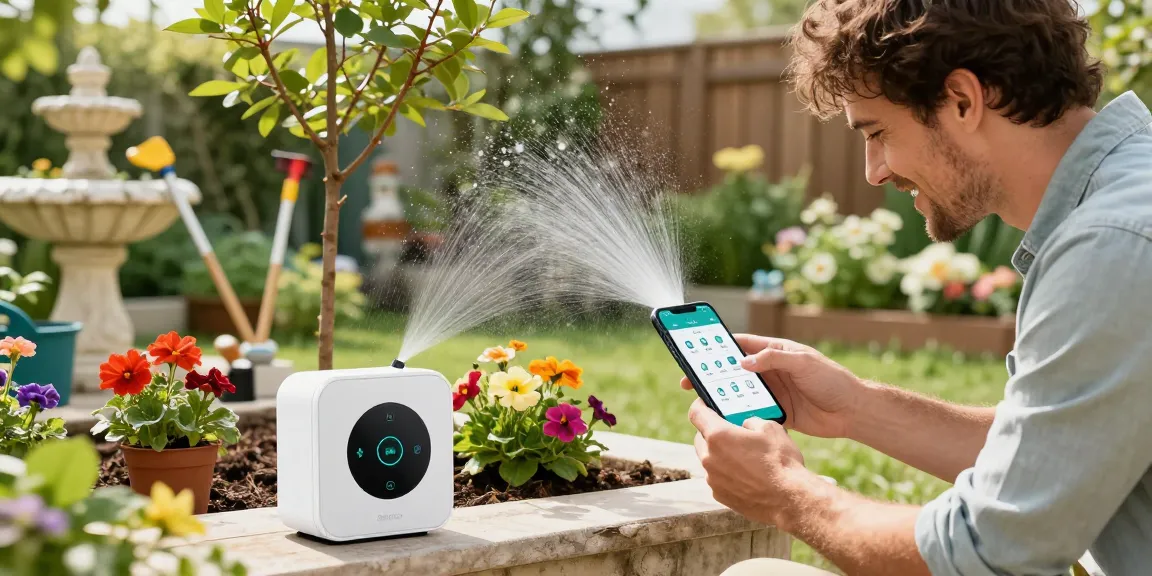
Understanding the RainPoint Smart Sprinkler Controller
The rainpoint smart sprinkler controller is transforming the way gardeners manage their irrigation systems. Traditional irrigation techniques can lead to over-watering or under-watering, both of which can harm your plants and waste precious resources. With the advancements in smart technology, this device offers a solution that not only conserves water but also promotes healthy plant growth through precise and efficient watering practices.
What is a RainPoint Smart Sprinkler Controller?
The RainPoint Smart Sprinkler Controller is an innovative irrigation system that allows users to automate and customize their watering schedules via a smartphone app. Designed for both outdoor and indoor gardens, this device connects to your existing water supply and provides real-time monitoring and control from anywhere. Its key features include multiple zone control, Wi-Fi connectivity, and integration with soil moisture sensors, making it ideal for diverse gardening needs.
Key Features and Benefits for Gardeners
- Automated Scheduling: Set specific watering times and durations for different zones of your garden, ensuring that each plant receives the appropriate amount of water.
- Soil Moisture Sensors: These sensors assess soil conditions and adjust watering schedules accordingly, preventing over-watering.
- Data Analytics: Access detailed water usage data, helping you understand and optimize your water consumption.
- Remote Management: Control your irrigation from your smartphone, allowing you to adjust settings without being physically present.
- Environmental Consideration: Use less water while still promoting healthy growth, aligning with sustainable gardening practices.
How It Compares to Traditional Sprinkler Systems
Traditional sprinkler systems often operate on a fixed schedule, leading to inefficiencies such as water wastage during rainfall or when the soil is adequately moist. The RainPoint Smart Sprinkler Controller, however, adapts to real-time environmental conditions, ensuring that your garden gets precisely what it needs when it needs it. This adaptability not only conserves water but also results in healthier plants due to more tailored irrigation.
Installation and Setup
Step-by-Step Installation Guide for Beginners
Installing your RainPoint Smart Sprinkler Controller is a straightforward process. Begin by unboxing the controller and reading the instruction manual. Follow these steps:
- Gather Necessary Tools: Ensure you have basic tools like a screwdriver, hose connectors, and a Wi-Fi connection.
- Connect to Water Supply: Attach the sprinkler controller to your outdoor faucet or water supply line securely.
- Download the App: Download the RainPoint app on your smartphone and create an account.
- Wi-Fi Connection: Follow the app instructions to connect your controller to your home Wi-Fi network.
- Set Up Zones: Configure specific watering zones for different areas of your garden.
- Test the System: Run a test cycle to ensure everything is functioning properly.
Common Setup Challenges and Solutions
While setting up the RainPoint controller is relatively simple, users may encounter some challenges. Here are common issues and their solutions:
- Wi-Fi Connectivity Problems: Ensure your Wi-Fi signal is strong in the installation area; consider using a Wi-Fi extender if necessary.
- Sensor Calibration: Make sure soil sensors are calibrated according to the manufacturer’s guidelines to provide accurate readings.
- Scheduling Conflicts: Double-check the watering schedules in the app to avoid overlaps that may lead to water wastage.
Optimizing Your Irrigation Settings
To maximize the efficiency of your RainPoint Smart Sprinkler Controller, you’ll want to fine-tune your irrigation settings. Consider the following tips:
- Utilize Weather Data: Sync your controller with local weather reports for automatic adjustments based on current conditions.
- Zone Customization: Tailor watering times for different plant types, ensuring that delicate plants receive gentler watering techniques.
- Seasonal Adjustments: Modify your watering schedules seasonally to accommodate changes in temperature and moisture levels.
Water Efficiency and Savings
Understanding Water Usage Data from Your Controller
One of the significant advantages of using the RainPoint Smart Sprinkler Controller is access to detailed water usage data. The app provides insights on how much water is being used daily, weekly, or monthly. This data helps users identify patterns and make informed decisions on how to enhance efficiency.
How to Reduce Water Waste with Smart Irrigation
Smart irrigation is about more than just convenience; it’s about sustainability. Here are strategies to reduce water waste:
- Use Soil Sensors: Leverage soil moisture sensors to water only when necessary.
- Mulch Your Garden: Applying mulch can help retain moisture in the soil, reducing the need for frequent watering.
- Time Your Watering: Water your garden early in the morning or late in the evening to minimize evaporation.
Real-Life Impact on Garden Health and Growth
Numerous customer testimonials highlight how the RainPoint Smart Sprinkler Controller has transformed their gardens. Users report healthier plants, vibrant blooms, and substantial growth in both domestic and commercial settings. By optimizing watering habits through smart technology, gardeners observe that they have not only saved water but also enhanced the overall health of their plants.
Advanced Features and Technology
Exploring Wireless Connectivity and App Functionalities
The RainPoint app acts as the central hub for managing your sprinkler system. It lets users control settings remotely, set schedules, and receive alerts when maintenance is needed. Features include:
- User-Friendly Interface: The app is designed for ease of navigation and includes tutorial videos for new users.
- Remote Access: Users can adjust settings from anywhere, ensuring their garden is always watered on schedule.
- Integration with Smart Home Devices: The controller can sync with other smart home systems for a truly automated experience.
Integrating Soil Moisture Sensors for Precision Watering
Soil moisture sensors significantly enhance the effectiveness of the RainPoint system. They measure the moisture content in the soil and communicate with the sprinkler controller to adjust watering schedules accordingly. This integration ensures plants receive just the right amount of water without unnecessary waste.
Future-Proofing Your Garden with Updates and Innovations
RainPoint is committed to innovation, frequently updating its software to enhance functionality and user experience. As gardening technology evolves, users of the RainPoint Smart Sprinkler Controller can expect improvements such as better integration with weather forecasting and advanced machine learning algorithms that further optimize water usage.
Customer Experiences and Testimonials
What Users Are Saying About their RainPoint Smart Sprinkler Controller
Customer feedback is overwhelmingly positive, with many users praising the ease of use and effectiveness of their RainPoint Smart Sprinkler Controller. Testimonials highlight how this system has saved time and reduced water costs, making it a worthwhile investment for both novice and experienced gardeners.
Case Studies of Successful Garden Transformations
Successful case studies demonstrate the dramatic improvements in garden health after implementing the RainPoint system. For example, one user reported an increase in vegetable yields by over 30% since switching to smart irrigation, while others noted healthier flower beds and lush lawns.
How to Join the RainPoint Community for Support and Tips
Joining the RainPoint community can enhance your gardening experience. Users can share tips, ask questions, and gain exclusive access to deals by joining the RainPoint Facebook group or subscribing to the newsletter. Engaging with fellow users can provide valuable insights that optimize your use of the smart sprinkler controller.
Can the RainPoint Smart Sprinkler Controller Be Used for Indoor Gardening?
Absolutely! The RainPoint Smart Sprinkler Controller is versatile enough to be used in various indoor gardening setups. Whether you have potted plants, indoor herbs, or even hydroponic systems, this controller can help manage your watering needs effectively.
What Differentiates the RainPoint Smart Sprinkler Controller From Other Brands?
Compared to other brands, the RainPoint Smart Sprinkler Controller stands out due to its user-friendly app, advanced soil moisture sensors, and excellent customer support. These features make it easier for users to manage their gardens efficiently while also ensuring that they conserve water.
How to Troubleshoot Common Issues with Your RainPoint Controller?
If you encounter issues with your RainPoint Smart Sprinkler Controller, first check the app for error messages or maintenance prompts. Many common issues, such as connectivity problems or scheduling conflicts, can be resolved quickly by following the app’s troubleshooting guide. For additional support, RainPoint’s customer service team is readily available to provide assistance.
What New Features Are Expected in the 2026 Models?
Looking ahead, the 2026 models of RainPoint controllers are expected to feature enhanced machine learning capabilities for predictive irrigation, improved app functionalities, and further integration with smart home technologies. These innovations aim to provide an even more seamless and efficient gardening experience.